Fitting the trackers is the easy part of a GPS rollout. What is harder is everything on either side of it: deciding which data you actually need, agreeing who reacts to each alert, calibrating the sensors, and getting reports to a state where you can settle an invoice on them.
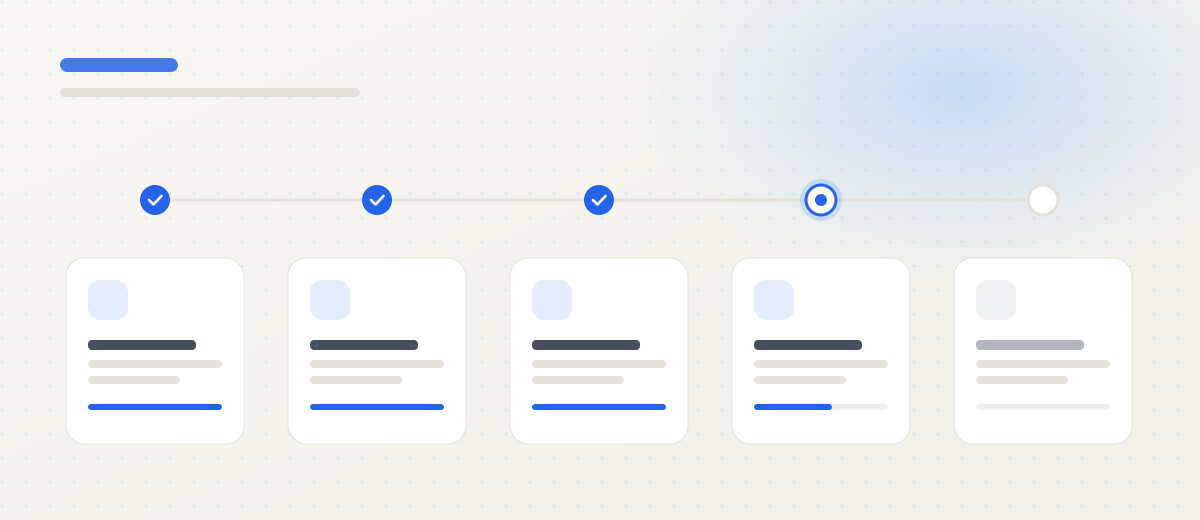
This guide covers the rollout as a project rather than a feature catalogue. The order matters: skip any of these stages and you end up with a system that works technically but nobody opens after three months.
1. Start from decisions, not features
The first meeting about tracking almost always drifts into a feature list: geofencing, eco-driving, temperature sensors, video. That is the wrong sequence. The right question is: which decision do you currently make too late, or on instinct?
Typical answers from fleet managers:
- Which vehicle to send to an urgent job — today the dispatcher calls three drivers.
- Whether a customer’s late-delivery complaint is justified — today it is one account against another.
- Why two identical vehicles differ by a double-digit percentage in fuel use.
- What a specific customer really costs to serve, including empty runs to their site.
Each of those maps to different data and different hardware. The complaint question needs precise trip history. The fuel question needs fuel measurement, not just position. Without this list you are buying features, not answers.
2. Match hardware to vehicles, not to a price list
The most common purchasing mistake is one device model across a mixed fleet. The result: installation is impossible on some vehicles, and the data is useless on others.
| Vehicle type | Right device | What it cannot measure |
|---|---|---|
| Cars and vans up to 3.5 t | Plug-and-play OBD tracker | Precise fuel level on a large tank |
| Motorcycles, scooters, cargo bikes | Two-wire IP67 tracker | Engine parameters — no bus available |
| Trucks and tractor units | FMS with dual CAN | — full bus access |
| International transport | FMS with DDD tachograph download | — |
| Trailers and reefers without power | FMS with backup battery | Engine data — the unit has no engine |
On top of that comes the decision about additional sensors: a capacitive fuel sensor where the CAN reading is too coarse, temperature sensors in reefers, driver card readers in shared fleets. The full breakdown is on our GPS fleet tracking page.
3. Pick three or four metrics, not all of them
The platform can calculate dozens of indicators. An operations team can genuinely work with three, maybe four. A proven starting set:
- Fuel consumption per 100 km, within groups of comparable vehicles.
- Share of empty running — unladen kilometres against total.
- Engine idle time in minutes per shift.
- On-time performance — deliveries inside the agreed window, as a percentage.
Context is everything. A delivery van in city traffic and a tractor unit on an international run are not comparable; putting them in one ranking produces conclusions that are simply false. Split the fleet into groups — urban, domestic, international, refrigerated, ADR — and compare within groups.
4. Give every alert an owner
An alert without a named owner becomes a notification everyone filters into a folder within two weeks. Before go-live, agree a responsibility table:
| Event | Who reacts | Within |
|---|---|---|
| Route deviation, delay | Dispatcher | Immediately |
| Unusual drop in fuel level | Fleet manager | Same day |
| Speeding, harsh manoeuvres | Driver team lead | Weekly, aggregated |
| Device disconnection | Technical support | Immediately |
| KPI deviation from target | Operations manager | Weekly |
Note the timing column. Not everything needs to be immediate — in fact, putting every event into immediate mode is the surest way to make the team stop reacting to anything.
5. Run a pilot on a representative group
A pilot on 10–20 vehicles over two to four weeks answers three questions: is the data credible, are the reports readable by the people meant to use them, and does the reaction process work at all.
One condition: the group must be representative. A pilot on your best-maintained vehicles and most disciplined drivers gives results you will not reproduce at full scale. Include vehicles from different route types, especially the ones you have most doubts about.
During the pilot, record more than the system output: how long a report takes to prepare, how many alerts turned out to be false, what the drivers asked about. That is the material for correcting configuration before rollout.
6. Plan calibration before you switch alerts on
The first weeks after installation produce data that looks credible but is not yet. Fuel sensors need calibration, speed thresholds need tuning to route types, geofences need radius corrections because the customer’s warehouse turns out to have its entrance on a different street.
A practical rule: for the first two to four weeks, alerts go only to the person running the rollout, not to the operations team. A false alarm in week one is a normal part of calibration. A false alarm in week eight teaches the team that the system lies — and that lesson cannot be unlearned later.
7. Set a working rhythm
Data without a rhythm is an archive. A cycle that works:
- Monday — review of KPIs and deviations from the previous week. Thirty minutes, one person leading.
- Tuesday — decisions: route corrections, driver conversations, service requests.
- Wednesday to Friday — execution and follow-up.
After four to six weeks you can see whether the numbers moved. If they did not, the problem is usually the process rather than the system, and the most common cause is that nobody has the authority to act on the report.
8. Legal duties: GDPR and the Labour Code
Monitoring company vehicles is legal in Poland, but it carries formalities that a technically led project tends to overlook.
Lawful basis. The employer’s legitimate interest, not employee consent. The distinction matters: consent can be withdrawn, legitimate interest cannot — but it requires a documented balancing test.
Duty to inform. Employees must be told about the monitoring, its scope and purpose, at least two weeks before go-live. The rules go into the work regulations or a formal notice.
Vehicle marking. Monitored vehicles must be visibly marked.
Private journeys. Where personal use outside working hours is allowed, a private mode is required: the fact of the trip and its distance are recorded, the route is not. This is standard configuration.
Retention. Decide how long you keep the data and delete it afterwards. Twelve months of history is a convenient operational default, but it needs a justification in your documentation.
9. Connect the data to where money is counted
Tracking as a separate browser tab delivers operational value. Tracking wired into the ERP answers questions about the profitability of a customer, a route and a direction.
The usual first step is an automated export of mileage and fuel cost into the accounting system — typically two to four weeks of work, with the immediate effect of eliminating a monthly manual summary. Later stages are covered in the article on Wialon–ERP integration and on the Wialon integrations page.
10. The most common rollout mistakes
- A technical rollout with no financial goal — the system runs and nobody can say what changed.
- No fleet segmentation — conclusions drawn from differences that come from routes, not drivers.
- Too many reports — twenty summaries instead of one dashboard somebody actually opens.
- Alerts without owners — the single most common reason a system “stops working” after a quarter.
- Skipped calibration — data the team stops trusting is worse than no data.
- No communication with drivers — resistance that one conversation at the start would have prevented can delay a project by months.
Summary
A GPS rollout works when you know in advance which decision it improves and who makes that decision. Hardware and platform are the execution layer: important, but secondary to the process.
If you want to see real data from your own fleet before committing to scale, start with one fully configured vehicle. We prepare a quote covering devices, installation and platform access within 24 hours; the cost structure is broken down on our pricing page.
Frequently asked questions
How long does a rollout take for a fleet of 20 vehicles?
Platform configuration takes around 48 hours. Fitting OBD trackers across 20 vehicles typically takes two to three working days if vehicles come off the road one at a time. Add two to four weeks of threshold and report calibration, so the realistic path from decision to billing-grade data is about a month.
Does monitoring company vehicles require employee consent?
Not consent, but a duty to inform. The lawful basis is the employer's legitimate interest rather than consent, which an employee could withdraw. You need the rules in work regulations or a formal notice, employees informed at least two weeks before go-live, and the monitored vehicles marked.
How many vehicles should the pilot cover?
Ten to twenty, or 20% of a smaller fleet. The group has to be representative of your route types, not simply the vehicles that happen to be at the depot. A pilot on your best-run vehicles produces results you will not reproduce at full scale.
What if drivers tamper with the devices?
A power-disconnection alert is standard configuration, as is GNSS jamming detection. The cause matters more, though: resistance usually comes from not knowing how the data will be used. Deployments where metrics are visible to drivers and tied to a bonus meet resistance far less often.
Can GPS data replace a tachograph for driver hours?
No, not where a tachograph is legally required. GPS data complements it: stops, engine hours and the actual route driven. Vehicles subject to tachograph obligations use FMS devices that download DDD files on the required schedule.